EN - EUR
 Sweden - SEK
 Norway - NOK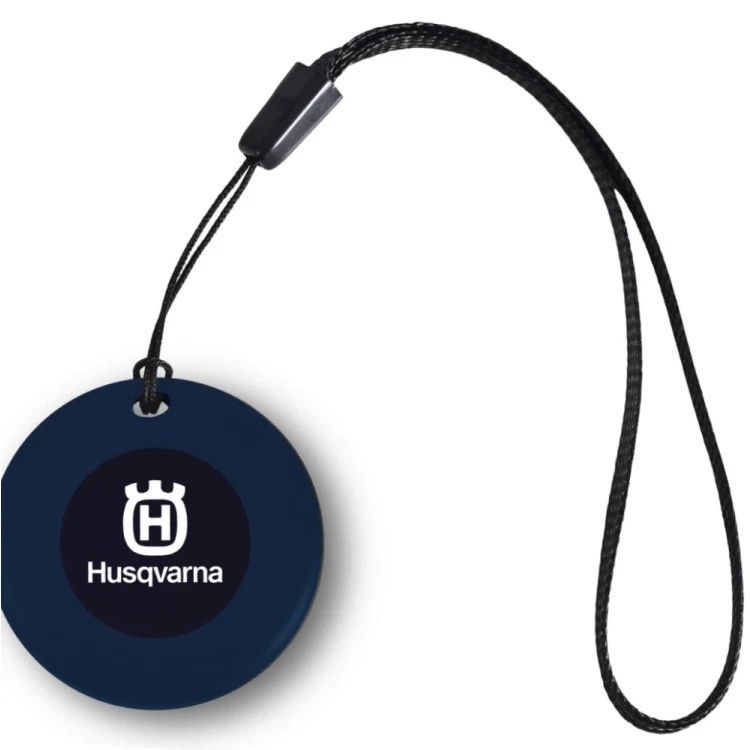

Husqvarna Life Tag – smart tracker for your valuables
Keep track of the things you don't want to lose. Husqvarna Life Tag is a compact tracker that can be attached to a keyring or bag, placed in a wallet, or hidden on a valuable item. If the item goes missing, you can check its location directly from your phone.
Life Tag works with both Apple Find My and Google Find Hub, making it suitable for both iPhone and Android users.
How Husqvarna Life Tag works
Life Tag uses Bluetooth and the network of compatible Apple or Google devices to help locate your item. When the tracker is near a device that is part of the respective network, its location can be updated and displayed in the app on your phone.
This means that Life Tag does not require its own SIM card or mobile subscription.
Ideal for:
- Keys
- Bags and backpacks
- Wallets
- Tools and machinery
- Bicycles
- Other valuable items you want to be able to locate
For Apple iPhone – Apple Find My
On iPhone, Life Tag is used with Apple's built-in Find My app. No separate Husqvarna app is required.
First, put Life Tag into pairing mode according to the product instructions. Then open:
Find My → Items → Add Item → Add Other Item
Follow the on-screen instructions to connect Life Tag to your Apple Account.
More information from Apple:
https://support.apple.com/guide/iphone/iph09cb07b40/ios
For Android – Google Find Hub
On compatible Android phones, Life Tag is used with Google Find Hub. Once Life Tag has been put into pairing mode, it can be paired with your phone and added to Find Hub.
Find Hub is available on many Android devices as part of Google's services. If the app is not already installed, it can be downloaded from Google Play.
More information from Google:
https://support.google.com/android/answer/3265955
Good to know
Life Tag is a tracking tag, not a standalone GPS tracker with its own mobile connection. How quickly its location is updated therefore depends, among other things, on compatible Apple or Android devices being near the tracker.